What Is Printer Toner Made Of? Common Causes
Understanding Printer Toner Ingredients
Printer toner is the fine powder that laser printers and copiers use to create text and images on paper. Unlike liquid ink, toner is a dry mixture, and its composition is key to how it works. Essentially, it’s a carefully engineered powder designed to melt and fuse onto paper with heat and pressure.
The Core Components of Printer Toner
At its heart, toner is made of a few key ingredients blended together. Think of it like a very specific recipe for creating permanent marks. The main job of these components is to create a particle that can be controlled electronically, stick to paper, and then survive a hot fuser unit.
Carbon Black: The Main Colorant
The most important ingredient for creating black text and images is **carbon black**. This is a pure, black pigment made from burning petroleum products. It’s responsible for the deep, rich black you see in your printed documents. For color toners, other pigments are used instead of carbon black to create cyan, magenta, and yellow powders.
Thermoplastic Resins: The Binding Agent
Carbon pigment alone would just be soot. To make it stick, the pigment is mixed with **thermoplastic resins**. These are special polymers that act as a glue. When the toner particle passes through the printer’s fuser unit, which can heat up to over 400°F (200°C), these resins melt. The melted resin bonds the pigment to the paper fibers, creating a permanent image.
Charge Control Agents and Fillers
Smaller amounts of other chemicals are mixed in too. **Charge control agents** help the toner particles pick up a consistent electrical charge from the printer’s drum. This is how the printer knows exactly where to place each particle. **Fillers** might be added to improve flow or adjust the particle size, ensuring the powder moves smoothly through the toner cartridge.
Why Toner is Made This Way
You might wonder why not just use a different kind of ink. The toner formulation solves several engineering challenges. The dry powder has a long shelf life compared to liquid ink. The resin-based fusing process creates smudge-resistant, water-resistant prints. This composition is what allows for the sharp text and high-speed printing that laser printers are known for.
Toner vs. Ink: A Clear Difference
It’s easy to mix up toner and ink, but they are fundamentally different. **Ink** is a liquid dye or pigment suspended in water or solvent. It soaks into paper. **Toner** is a solid powder that sits on top of the paper and is heat-fused. This is why ink cartridges can dry out if not used, while a toner cartridge can often sit on a shelf for months without issue.
| Feature | Printer Toner | Printer Ink |
|---|---|---|
| Physical State | Dry powder | Liquid |
| How It Bonds to Paper | Heat-fused by a fuser unit | Absorbed into paper fibers |
| Primary Technology | Laser printers, photocopiers | Inkjet printers |
| Key Advantage | High-volume, smudge-resistant prints | Vibrant color photos on glossy paper |
Are All Toners the Same?
Not exactly. While the basic recipe is similar, toner formulations vary significantly between brands and even specific cartridges. This is a major point of difference between **OEM (Original Equipment Manufacturer)** toner made by your printer’s brand, like HP, Canon, or Brother, and **compatible or remanufactured** toners made by third-party companies.
OEM vs. Compatible Toners
OEM manufacturers spend millions researching the perfect particle size, melt point, and charge properties for their specific printers. They engineer the toner and printer as one system. Compatible toner manufacturers reverse-engineer this formula. Many provide excellent results, but the quality can be inconsistent. We found that some generic toners use different resin types that may not fuse as cleanly, potentially leading to lighter prints or more waste.
Potential Trade-offs
Choosing a compatible toner often saves money upfront. However, in some cases, you might get fewer pages per cartridge or experience slightly lower print quality. The most reputable third-party companies invest heavily in research to match OEM performance. Reading recent user reviews for your specific cartridge model is a wise step.
Health and Safety Considerations
Since you handle toner cartridges, it’s natural to ask: “Is this powder safe?” The short answer is that modern, packaged toner is generally considered safe for normal handling. The ingredients are encapsulated within the toner particles and cartridge. However, the potential for concern arises if the toner powder is released into the air.
What Happens If You Expose It?
If a cartridge leaks or you are changing one and create dust, you could inhale fine particles. Studies from agencies like the National Institute for Occupational Safety and Health (NIOSH) have investigated emissions from laser printers. The consensus from health agencies is that particles from toner are not significantly different from other office and household particles. The best practice is to avoid creating dust and to handle cartridges carefully.
Simple Precautions to Take
You don’t need a hazmat suit. Just be mindful. If you spill a small amount, wipe it up with a damp cloth, not a dry duster which will spread it. Avoid inhaling any dust directly. If you are particularly sensitive or have asthma, you might consider wearing a simple dust mask when changing cartridges, though this is not a standard recommendation from printer manufacturers.
Common Problems Linked to Toner
Sometimes, print quality issues trace directly back to the toner itself or how it interacts with your printer. Knowing the common causes can help you troubleshoot quickly.
Faded or Light Prints
The most frequent complaint. This often means the toner is running low. However, it can also be caused by a **toner-save mode** being enabled in your print settings, which uses less toner per page. In rare cases with generic toner, the powder particles may be inconsistent, leading to poor transfer to the paper.
Spots, Streaks, or Smudges
Vertical lines or streaks often point to a scratch on the printer’s imaging drum, a part inside the toner cartridge. **Spots or repeating marks** can happen if the cartridge drum is damaged or if toner is spilling inside. This can sometimes be fixed by gently rocking the toner cartridge side-to-side to redistribute the powder evenly before reinstalling it.
Toner Not Fusing Properly
If prints look powdery and smudge easily, the toner isn’t being heated correctly. This is usually a printer fuser unit problem, not a toner problem. However, using the wrong **paper type setting** (e.g., printing on regular paper when “thick” is selected) can cause improper fusing. Using paper that is too damp can also lead to this issue.
Preventing Toner-Related Issues
A little care goes a long way. Most toner problems are avoidable with good habits. Focus on storage, handling, and matching your settings to your media.
Best Practices for Handling
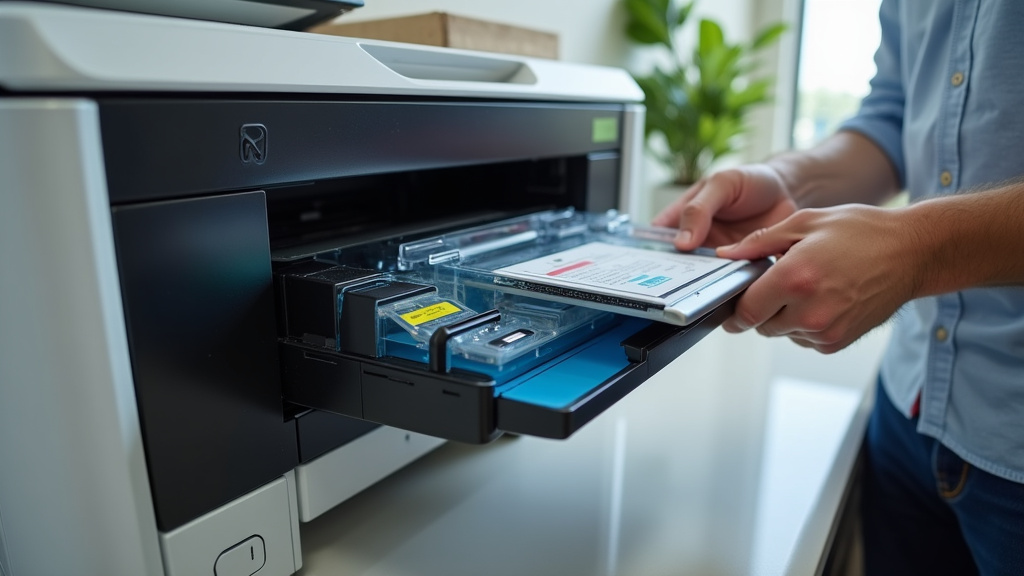
Store spare cartridges in a cool, dry place away from direct sunlight. Extreme temperatures can degrade the toner powder. When installing a new cartridge, follow the instructions to remove any protective tapes or covers completely. If you get toner on your clothes, don’t rub it with a dry cloth; brush it off gently or use a lint roller, as rubbing can set the stain.
Checklist for Smooth Printing
- Shake it gently: Before assuming a cartridge is empty, remove it and rock it side-to-side a few times to redistribute remaining toner.
- Match paper settings: Always select the correct paper type in your printer dialog box for the paper you are using.
- Buy from reputable sellers: If choosing compatible toner, select well-reviewed brands with good return policies.
- Run a cleaning cycle: Use your printer’s built-in menu to run a drum cleaning cycle if you see repeating marks.
- Handle with care: Avoid touching the green drum surface inside the cartridge, as oils from your skin can damage it.
Understanding what’s inside that plastic cartridge demystifies the printing process. It’s a smart blend of chemistry and engineering designed for durability and precision. By knowing the basics of toner composition and common issues, you’re better equipped to maintain your printer and get the best possible results from every cartridge you use.
Conclusion
Now you know what’s actually inside your toner cartridge and what causes the most common print quality problems. It comes down to a simple recipe of carbon black, thermoplastic resins, and charge agents working together. When things go wrong, the cause is usually low toner, incorrect paper settings, or a worn drum. Your next step is simple: check your printer’s toner level and paper type setting before your next print job. These two quick checks prevent the majority of toner-related issues you’ll ever face.
Frequently Asked Questions
Can I use a toner cartridge from a different printer brand?
No, you should not mix toner cartridges between different printer brands. Each manufacturer designs toner particles with specific sizes, charge properties, and melt points tailored to their printers. Using the wrong cartridge can cause damage, poor print quality, or even void your printer’s warranty.
Does printer toner expire?
Yes, toner does have a shelf life. Most toner cartridges last about 18 to 24 months when stored properly. Heat, moisture, and direct sunlight can break down the toner powder over time. We recommend storing spare cartridges in a cool, dry place and using them within the timeframe printed on the box.
Why does my toner cartridge feel light even when my printer says it has toner left?
Toner powder is extremely fine and lightweight. A cartridge can feel surprisingly light even when it still has plenty of toner inside. The printer’s toner level sensor measures usage, not weight. If prints are still coming out clearly, the cartridge is likely fine. Try rocking it side to side to redistribute the powder before replacing it.
Is it safe to refill a toner cartridge myself?
It is possible, but it can be messy and risky. Refill kits are available, but you risk getting toner powder on your hands, clothes, and inside the printer. The toner particles are very fine and can become airborne. If you choose to refill, wear gloves, work in a well-ventilated area, and follow the instructions carefully. If you’re refilling, our guide to disposing of toner cartridges explains safe disposal methods.
Why do my prints look smudgy and powdery instead of crisp?
This usually means the fuser unit is not heating the toner properly. The fuser melts the resin onto the paper, so if it fails, the powder sits loosely on the page. It could also be the wrong paper type setting in your print dialog. Make sure you select the correct paper type and check your printer’s fuser for any signs of wear or error messages.