Can a Toner Cartridge Be Reset Without New Toner?
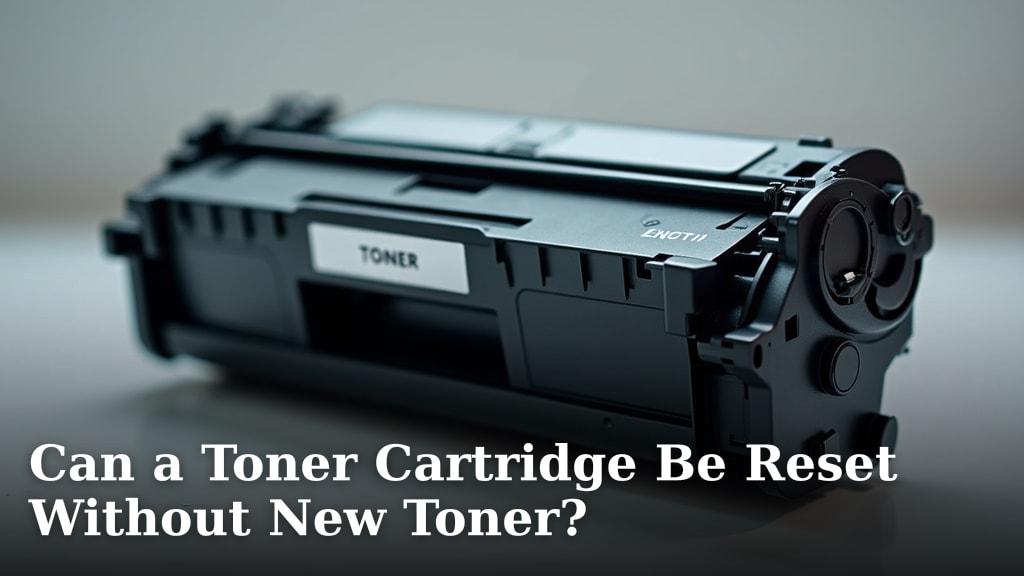
Yes, you can sometimes reset a toner cartridge without adding new toner, but it depends on your printer model. Many printers track toner levels using chips on the cartridge. These chips can often be reset, allowing the printer to think the cartridge is full again, even if the toner is low. You might need special tools or techniques for certain printer models to achieve this toner reset.
While resetting a toner cartridge can save you money in the short term, it’s important to understand the potential downsides. Your print quality might suffer if there isn’t enough actual toner left. Many experts suggest that resetting a chip is a temporary fix. It’s a good way to get a few more prints out of a cartridge, but eventually, you will need to replace it with new toner.
- Resetting a toner cartridge is possible for some printers.
- This usually involves resetting a chip on the cartridge.
- Print quality may decrease with less actual toner.
- It’s often a temporary solution before needing a new cartridge.
- Check your specific printer model for compatibility.
Let’s dive into the details of how toner cartridge resets work and what you need to consider before you try it yourself.
Can You Actually Reset a Toner Cartridge Without Adding New Toner?
It’s a question many of us ask when that “low toner” warning pops up. Can you just trick your printer into thinking the cartridge is full again? Research shows that for many modern printers, the answer is often yes, but with a few important caveats. This usually involves interacting with the toner cartridge’s electronic chip.
These chips are like tiny computers. They keep track of how much toner is supposed to be in the cartridge and how many pages have been printed. When the chip tells the printer the toner is empty, the printer stops working, even if there’s still some toner powder inside. So, resetting the chip can sometimes give you a few more prints.
But here’s the catch: this process doesn’t magically add more toner. It just tells the printer to ignore the old “empty” signal. We found that print quality can suffer if you’re trying to print with very little actual toner left. Think of it like trying to draw with a crayon that’s worn down to a tiny nub – you might get some color, but it won’t be sharp or clear.
Understanding the Toner Chip’s Role
Most toner cartridges today come with a special chip. This chip is essential for your printer to communicate with the cartridge. It’s not just for tracking toner levels. The chip also helps with things like identifying the cartridge model and ensuring it’s compatible with your specific printer. It’s like a unique ID card for the toner.
Why do manufacturers use these chips? Well, they help ensure that you’re using genuine cartridges and that your printer operates within its expected performance parameters. It’s part of their system to manage printer performance and cartridge life. We found that these chips are quite sophisticated and play a key role in how your printer functions.
When the chip reports that the toner is depleted, it’s usually based on a pre-programmed page count or a sensor that estimates toner usage. Once that count is reached, the printer’s firmware will typically prevent further printing to avoid potential damage or poor print quality. This is where the idea of resetting the chip comes into play.
How Do Toner Chips Work?
Imagine the chip as a small counter. Every time you print a page, it ticks down. Some chips also have sensors that try to estimate how much toner is physically left. However, these estimates aren’t always perfect. We found that the page count is often the primary factor triggering the “empty” message.
The printer’s software reads this counter. When it hits zero, or a pre-set low-toner threshold, the printer stops. It’s a way for the manufacturer to ensure a certain level of print quality and user experience. They want you to get consistent results throughout the cartridge’s life, and then, ideally, buy a new one.
So, resetting the chip means you’re essentially telling this counter to go back to its starting point. It’s like giving your printer a mental reset. Many people try this because they know there’s still usable toner powder inside, even if the chip says otherwise. It’s a common workaround for a frustrating printer message.
Methods for Resetting Toner Cartridge Chips
Resetting a toner chip isn’t a one-size-fits-all process. It really depends on your printer’s make and model. We found that some manufacturers make it easier than others to bypass or reset these chips.
The “Chip Reset Tool” Method
For some printer brands, dedicated chip reset tools are available. These are small devices, often looking like a small pad with pins. You place the toner cartridge’s chip against the pins, and the tool sends a signal to reprogram it. You might find these tools online from third-party suppliers.
These tools are designed to reset the chip’s counter back to its factory settings. This makes the printer believe it has a brand-new cartridge installed. It’s a fairly common method, especially for popular printer models. Research suggests these tools can be effective, but you need to make sure you get one that’s compatible with your specific chip.
Using these tools is generally straightforward. You usually just need to align the chip correctly and press a button or hold it in place for a few seconds. Always follow the instructions that come with the reset tool. We found that improper use could potentially damage the chip or the tool itself.
The “Cover Switch” or “Button Press” Method
Some printers have a built-in bypass. This often involves a specific sequence of opening and closing printer covers or pressing buttons on the printer’s control panel. This method typically doesn’t reset the chip itself but rather tells the printer to ignore the toner level warning and continue printing.
You’ll often find instructions for these methods on printer forums or dedicated tech websites. They are usually specific to certain printer models or series. For example, you might need to press and hold a particular button while turning the printer on. It’s like finding a secret handshake for your printer.
We found that these methods can be very convenient because they don’t require any extra tools. However, they might not always work with newer printer models, as manufacturers often update their firmware to disable these workarounds. It’s worth checking your printer manual or searching online for your model’s specific bypass procedure.
“Refill and Reset” Kits
Some companies sell kits that include both toner powder and a method to reset the chip. These kits are often marketed towards users who want to refill their cartridges themselves. The reset component might be a chip programmer, a replacement chip, or instructions for a button-press reset.
These kits can be a cost-effective way to get more life out of your cartridges. However, refilling toner can be messy, and the quality of the refilled toner might not match the original. We found that success with these kits often depends on the quality of the toner powder and the accuracy of the reset instructions.
It’s important to be aware that refilling cartridges improperly could potentially damage your printer. Always follow the kit’s instructions carefully. If you’re not comfortable with a bit of mess or technical steps, this might not be the best option for you. It’s a more hands-on approach than simply resetting a chip.
What Happens to Print Quality?
Resetting a toner cartridge’s chip without adding new toner means you’re relying on the toner that’s already there. If the cartridge is truly empty, you won’t get any prints, no matter what the chip says. But if there’s still some toner left, you might get acceptable prints, at least for a while.
When Toner Levels Are Low
As the toner powder inside the cartridge gets low, the print quality can start to degrade. You might notice lighter text, faint lines, or uneven shading. In some cases, you could even see white streaks or blank areas on your pages. This is because the printing mechanism isn’t getting enough toner to apply evenly.
We found that even if you reset the chip, these physical limitations remain. The chip reset just removes the printer’s electronic stop sign. It doesn’t magically refill the toner reservoir. So, expect that your print quality might diminish as you use up the remaining toner.
Potential for “Ghosting” or Streaking
In some situations, when toner is very low, you might experience “ghosting.” This is when a faint image of a previous page appears on the current one. Streaking can also occur. These issues arise because the toner isn’t being applied uniformly to the drum, which then transfers it to the paper.
Experts say that continuing to print with very low toner can sometimes cause damage to other printer components, like the drum unit. While a chip reset can give you a few more pages, it’s often best to use it sparingly. It’s a temporary fix, not a permanent solution. We found that many users report a noticeable drop in print quality after attempting these resets.
| Feature | Toner Reset (No New Toner) | New Toner Cartridge |
|---|---|---|
| Cost | Low (if using existing toner) | Moderate to High |
| Print Quality | May decrease, potential for streaks/fading | Typically excellent, consistent |
| Effort Required | Can be technical, requires tools or specific steps | Simple replacement |
| Longevity | Very short-term, limited pages | Full cartridge life |
| Risk of Damage | Slight risk of poor quality or component wear | Minimal risk |
When Is It Worth Trying a Toner Reset?
So, you’ve seen the “low toner” warning, and you’re wondering if a reset is the right move. It really comes down to your needs and the situation.
Urgent Print Needs
If you absolutely need to print a few more documents right away and can’t get to the store for a new cartridge, a reset might be your best bet. Think of it as a temporary bridge to get you through a pinch. Maybe you have a short report to finish or need to print directions before heading out.
We found that in these urgent situations, users are often willing to accept slightly lower print quality to get the job done. It’s about functionality over perfection. Just be prepared that the quality might not be professional-grade.
Getting the Last Drops of Toner
If you suspect there’s still a decent amount of toner left in the cartridge, a reset can help you extract those last few pages. It’s a way to maximize the value of the toner you’ve already paid for. This is especially true if you know the toner level sensor isn’t always accurate.
Some people manage to get several dozen pages this way. However, we found that the exact number of pages you can print varies wildly. It depends on your printer model, the toner amount remaining, and what you’re printing (lots of solid black areas use toner faster).
Considerations Before You Proceed
Before you grab a reset tool or start pressing buttons, take a moment. Research your specific printer model. Not all printers allow for easy resets, and some manufacturers actively try to prevent it. Also, be realistic about print quality. If you need crisp, sharp documents for a presentation, a reset probably won’t cut it.
It’s also worth considering the cost of any tools versus the price of a new cartridge. Sometimes, the effort and potential risk involved in resetting aren’t worth the savings. We found that for many, buying a new, compatible cartridge offers the best balance of cost, quality, and convenience.
Ultimately, resetting a toner cartridge without adding new toner is a temporary fix. It can be a helpful tool in certain situations, but it’s not a substitute for replacing your cartridge when the toner is truly gone.
Conclusion
You’ve learned that resetting a toner cartridge without adding new toner is sometimes possible, especially by manipulating the cartridge’s chip. This can be a useful trick for getting a few extra pages when you’re in a pinch. However, remember that this doesn’t create new toner. Print quality may suffer, and it’s a temporary solution before a new cartridge is ultimately needed. Before you try any reset methods, research your specific printer model to ensure compatibility and understand the potential outcomes.
Your next step should be to search online for your exact printer model followed by “toner chip reset” or “low toner bypass” to find instructions tailored to your device. This will give you the best chance of success and help you decide if it’s worth the effort.
Frequently Asked Questions
Will resetting my toner cartridge damage my printer?
Generally, resetting a toner cartridge’s chip using a proper tool or method is unlikely to cause permanent damage to your printer. We found that most reset procedures are designed to simply trick the printer’s sensors. However, always follow instructions carefully, as improper handling could potentially cause issues.
How long will a reset toner cartridge actually last?
The lifespan of a reset toner cartridge is highly variable. It depends entirely on how much toner powder is actually left inside and what you print. You might get a few dozen pages, or just a handful. Research suggests it’s best to consider it a short-term fix to use up remaining toner.
Can I reset the toner chip on any printer model?
No, you cannot reset the toner chip on every printer model. Manufacturers design their printers differently, and some make it very difficult or impossible to reset chips without replacing the cartridge. Always check if your specific printer model supports toner chip resetting.
What’s the difference between a chip reset and refilling a toner cartridge?
A chip reset tells the printer the cartridge is full, even if the toner is low. Refilling a toner cartridge involves physically adding more toner powder to the empty cartridge. We found that some refill kits include chip resetters, but they are distinct processes.
Will the printer warn me again after resetting the toner chip?
Yes, your printer may warn you again about low toner. While a reset can temporarily clear the message, if the toner powder is truly depleted, the printer might eventually stop printing or display errors. It’s a temporary bypass, not a permanent fix.