How Often Should You Replace Toner Cartridge?
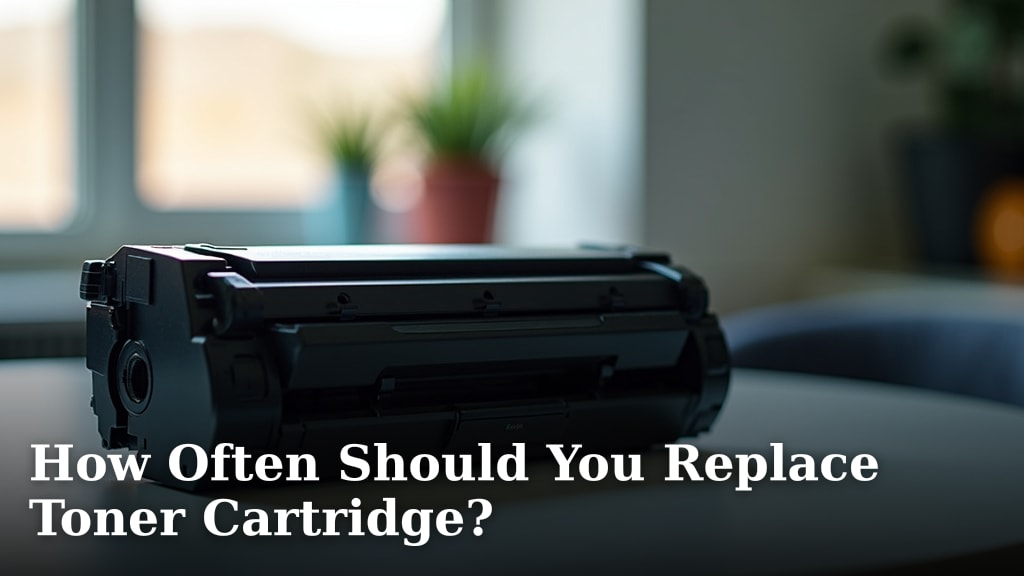
You should replace your toner cartridge when your printer warns you it’s low or empty. Most printers will display a message. For laser printers, this usually means the toner is almost gone. Don’t wait too long, or your printouts might suffer. You can also check the page yield in your printer’s manual to estimate when it might run out.
Several factors influence how often you’ll need a new toner. These include the type of printing you do, how much you print, and the specific toner cartridge model. High-volume printing means quicker depletion. Even if it’s not completely empty, a cartridge might need replacing if print quality drops significantly, showing faint lines or spots.
- Toner replacement depends on printer alerts.
- Low toner messages mean it’s time for a change.
- Print quality also indicates a need for new toner.
- Volume of printing impacts how often you replace it.
Below, we’ll walk you through the signs to look for and give you a clearer picture of when your toner cartridge needs replacing.
Knowing When to Swap Your Toner Cartridge
You’ve probably seen that dreaded message pop up on your printer screen: “Low Toner.” It can feel like a surprise party you didn’t ask for. But don’t panic! Knowing when to replace your toner cartridge is all about paying attention to a few key signs. Think of your toner like the ink in a pen; once it runs dry, your writing (or printing) stops.
The most reliable indicator is your printer itself. Most modern printers are pretty smart about this. They track the amount of toner left and will actively alert you when it’s getting low. This alert is your cue to start thinking about getting a replacement. It’s better to have a new one ready before the old one completely runs out.
Printer Alerts: Your First Line of Defense
Your printer’s display panel or computer software is your best friend here. When the toner level dips below a certain point, it will usually display a message. These can vary, from simple “Toner Low” warnings to more urgent “Replace Toner Cartridge” notices. These alerts are usually quite accurate.
Some printers also have a “Toner Status” option in their settings. You can often check this manually to see a percentage or a visual bar indicating how much toner is left. This is a good habit to get into, especially if you print a lot. It lets you stay ahead of the game instead of reacting to an error message mid-project.
Understanding Toner Level Indicators
The “Toner Low” message typically means there’s still some toner left, enough for a decent number of pages. This is the time to order your replacement. Don’t wait for the “Replace Toner” message if you can help it. The “Replace Toner” message means the cartridge is nearly or completely empty, and print quality will likely suffer very soon.
Some users wonder if they can just keep printing after a “Low Toner” warning. You can, but you risk getting faded prints or even blank pages. This can be frustrating, especially if you’re in the middle of printing something important. It’s like trying to finish a book with the last few pages ripped out – you miss the ending!
Print Quality: A Visual Clue
Beyond the on-screen messages, your printed pages themselves tell a story. If you start noticing a decline in print quality, it’s a strong sign your toner is running low, even if the printer hasn’t warned you yet. What should you look for?
Common Print Quality Issues
- Fading or Light Streaks: If text and images are lighter than usual, or if you see vertical white streaks, the toner is likely depleted. The toner particles aren’t being applied evenly anymore.
- Grayish Backgrounds: A light gray haze or background can appear on your pages. This happens when the toner isn’t transferring cleanly to the paper.
- Spots or Blotches: Sometimes, instead of fading, you might see small spots or uneven patches of toner. This can indicate the toner is clumping or the cartridge is starting to fail mechanically.
- Incomplete Text: Letters or parts of images might appear incomplete or broken. The printer isn’t getting enough toner to form a solid image.
If you see any of these issues consistently across multiple print jobs, it’s time to consider a new toner cartridge. Trying to print with a dying cartridge is like trying to draw with a pencil that’s worn down to a nub – the results just won’t be as clear or crisp.
Factors Affecting Toner Cartridge Lifespan
The “how often” question isn’t a one-size-fits-all answer. Several factors influence how quickly your toner cartridge empties. Think of it like a fuel gauge; how fast it drops depends on how much you drive.
Your Printing Volume: The Biggest Driver
This is the most obvious factor. If you print hundreds of pages a week for a home office or a small business, your toner will deplete much faster than someone who only prints a few pages a month for personal use. High-volume printing means more toner is being used up.
Many toner cartridges have a page yield listed. This is an estimated number of pages the cartridge can print under standard conditions. For example, a cartridge might be rated for 2,000 pages. If you print 100 pages a week, you’d expect that cartridge to last about 20 weeks, or roughly 5 months. Keep in mind, this is an estimate.
Understanding Page Yield
Page yield is based on ISO/IEC standards, which typically involve printing pages with a specific amount of text and graphics (usually around 5% coverage). If your typical print job involves large, solid blocks of color or dense text, you might get fewer pages than the stated yield. Conversely, very simple documents might yield more pages.
It’s helpful to consult your printer’s manual or the manufacturer’s website for the estimated page yield of your specific toner cartridge model. Knowing this number helps you calculate roughly when you might need a replacement based on your printing habits. It’s a useful benchmark, but not an exact science.
Toner Cartridge Type and Capacity
Not all toner cartridges are created equal. Manufacturers often offer different capacities for the same printer model. You might see “standard” yield and “high” or “XL” yield options. Consider a high-yield cartridge if you print regularly.
A high-yield cartridge contains more toner than a standard one. While it costs more upfront, it generally offers a lower cost per page because it prints significantly more pages. If you print regularly, investing in high-yield cartridges can be more economical in the long run and means you’ll be changing them less often.
Print Settings and Content
The settings you use and the type of content you print also play a role. Printing in “draft” or “toner-saving” mode uses less toner per page than printing in high-quality mode. If your primary need is just to get words on paper, using these settings can extend the life of your toner.
As mentioned, printing pages with large, solid areas of color or dense text uses more toner than printing simple black-and-white text documents. Think of it like painting a wall versus drawing a thin line – one uses much more paint (or toner). If you often print photos or graphics, expect your toner to deplete faster.
Environmental Conditions and Cartridge Care
While less common, extreme environmental conditions can potentially affect toner. Extreme heat, cold, or humidity could, in theory, impact the toner powder’s consistency. However, for most home and office environments, this isn’t a major concern. Proper storage is key if you keep spare cartridges.
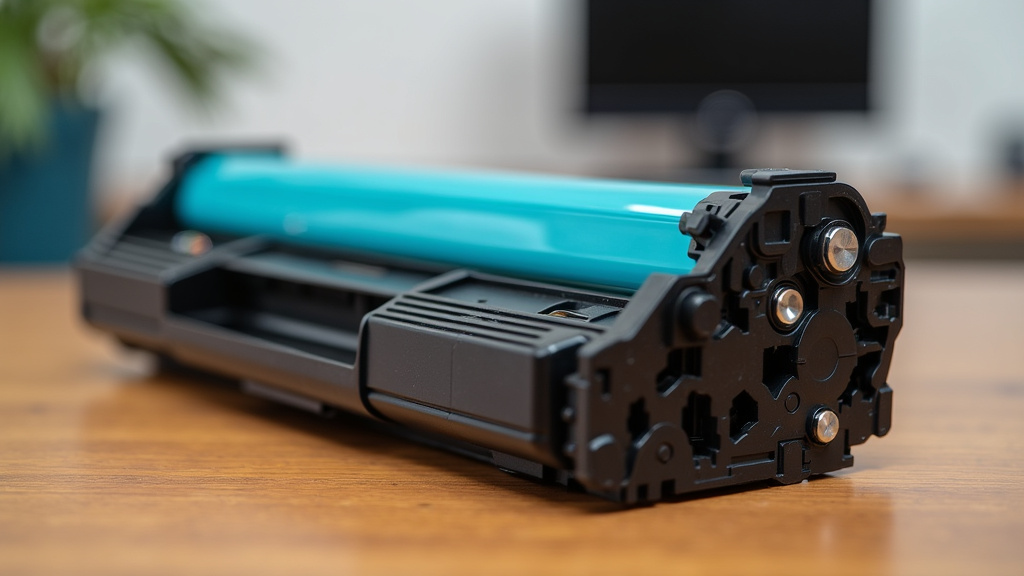
When you get a new cartridge, handle it with care. Avoid touching the drum or roller on the cartridge. Manufacturers provide specific instructions for installation, and following them helps ensure the cartridge functions correctly and lasts as long as it’s designed to. Incorrect handling can sometimes lead to premature issues.
When to Consider Replacing Even if Not Empty
Sometimes, a toner cartridge needs replacing even if your printer says there’s still toner left, or if you haven’t received a “Low Toner” warning. This usually comes down to print quality degradation that can’t be fixed by simply shaking the cartridge.
If you’ve tried basic troubleshooting, like gently shaking the cartridge (if recommended by your manufacturer) to redistribute the remaining toner, and print quality still hasn’t improved, it’s a strong signal. The internal components of the cartridge might be worn out or damaged.
This is particularly true for older cartridges or those that might have been refilled or are non-OEM (Original Equipment Manufacturer) products, though reputable third-party cartridges are often very reliable. However, the printer’s sensors are generally designed to work with OEM cartridges. If print quality becomes unacceptable, it’s simply no longer serving its purpose, regardless of the toner level.
Common Scenarios for Early Replacement
- You consistently see faint lines, smudges, or spots that don’t go away after troubleshooting.
- The printer displays an error message related to the toner cartridge that persists.
- You’ve printed far fewer pages than the cartridge’s stated yield, but quality has dropped significantly.
- The cartridge has been sitting unused for a very long time (years), and toner powder can sometimes clump or dry out.
In these cases, the cost of poor print quality or dealing with frustrating errors often outweighs the cost of a new cartridge. It’s better to replace it and get back to producing clear, professional-looking documents.
Quick Checklist: Is It Time for New Toner?
Here’s a quick way to decide if your toner cartridge needs replacing:
- Has your printer displayed a “Low Toner” or “Replace Toner” message?
- Are your printed pages noticeably fading, streaky, or blurry?
- Do you see spots, smudges, or gray backgrounds on your prints that won’t go away?
- Have you tried gently shaking the cartridge (if your manual allows) and the print quality remains poor?
- Are you printing high-volume documents and noticing a consistent decline in output quality?
- Is the cartridge very old (several years) and showing signs of wear or poor performance?
If you answered yes to one or more of these questions, it’s likely time to swap out your toner cartridge for a fresh one. This ensures you continue to get the best possible print results from your machine.
Conclusion
Replacing your toner cartridge is straightforward when you know what to look for. Your printer’s alerts are your first guide, but don’t forget to trust your eyes. Fading prints, streaks, or spots are clear signs your toner is running low, even if the printer hasn’t said so yet. High-yield cartridges and smart print settings can help extend the life of your toner and save you money. Pay attention to these signals to avoid frustrating print errors and keep your documents looking sharp.
When you notice these signs, it’s time to order your next toner cartridge so you’re ready to go.
Frequently Asked Questions
Can I keep printing if my printer says “Toner Low”?
Yes, you can usually keep printing after a “Toner Low” warning. This message means there’s still some toner left, but it’s a good time to prepare for a replacement. Continuing to print might result in lighter or faded pages as the toner gets very low.
How can I tell if my toner cartridge is bad, not just empty?
If you see persistent print quality issues like smudges, spots, or vertical lines, even after trying to redistribute toner (if recommended), the cartridge itself might be faulty or worn out. The printer’s sensors can sometimes detect mechanical issues with the cartridge too.
Does printing in color use more toner than black and white?
Yes, printing in color generally uses more toner. Color printing involves mixing multiple toner colors to create the desired shade, which depletes the cartridges faster than simple black-and-white text printing.
What is “page yield” and how does it help me?
Page yield is an estimate of how many pages a toner cartridge can print under standard conditions. It helps you calculate roughly how long a cartridge might last based on your printing volume. You can usually find this information in your printer manual or on the manufacturer’s website.
Should I buy original (OEM) toner or a compatible/remanufactured one?
Original toner cartridges are made by your printer manufacturer and are generally reliable. Compatible or remanufactured cartridges can be more affordable and often perform well, but quality can vary. If you experience print quality issues, it’s worth considering if the cartridge type is a factor.