Why Does Toner Cartridge Expire? What It Means
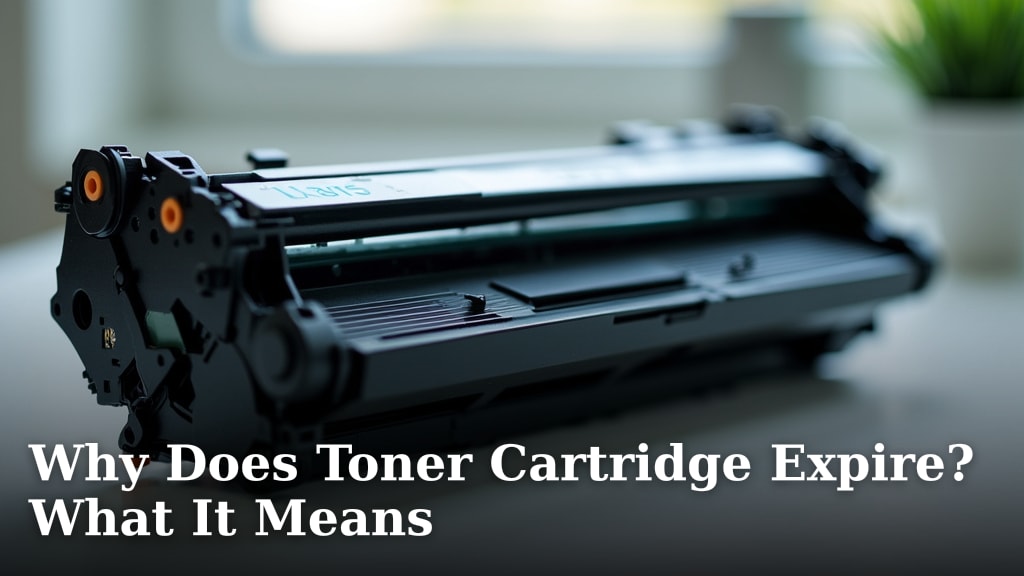
Toner cartridges do expire because the toner powder can clump and the drum unit can degrade over time, even when stored. This means they might not print clearly or at all if used after their shelf life. It’s like leaving milk out too long; eventually, it just isn’t good anymore.
When toner expires, you might notice faded prints, strange lines, or streaky patterns on your pages. This happens because the fine powder inside can harden or moisture can affect its components. Many people think toner lasts forever, but quality printers and clear documents depend on fresh toner.
- Toner expires due to clumping powder and drum degradation.
- Expired toner leads to faded or streaky printouts.
- Storing toner improperly can speed up its expiration.
- Using expired toner can potentially damage your printer.
Let’s break down why this happens and what it means for your printing needs.
The Shelf Life of Toner: Why Your Cartridges Eventually Expire
It’s a common question: do toner cartridges really expire? The short answer is yes. Even when they’re sitting in their packaging, the components inside can degrade over time. Think of it like food in your pantry; some things last longer than others, but eventually, they’re no longer at their best. Toner is much the same. It contains fine powder and delicate parts that are sensitive to time and environment.
Understanding Toner Composition and Degradation
Toner isn’t just simple ink. It’s a complex mixture of fine plastic particles, carbon black, and various chemicals. These elements are engineered to melt and fuse to paper when heated by your printer’s fuser. But time can affect this delicate balance. Factors like temperature, humidity, and even light can cause changes within the cartridge.
The Problem of Toner Clumping
One of the main reasons toner expires is toner clumping. The fine powder inside the cartridge is designed to flow smoothly. However, over long periods, especially in humid conditions, moisture can seep in. This causes the tiny powder particles to stick together, forming larger clumps. When this happens, the toner can no longer dispense evenly onto the drum. You’ll start to see uneven printing, streaks, or blank spots on your pages. It’s like trying to pour flour that’s turned into a solid block – it just doesn’t flow right.
Drum Unit Degradation Over Time
Beyond the toner powder itself, the drum unit inside the cartridge also plays a vital role. This is a photosensitive roller that picks up the toner and transfers it to the paper. Drum units are made with delicate coatings that can degrade over time. Exposure to light, even ambient room light, can damage this coating. Additionally, the lubricating agents within the drum can dry out. A degraded drum unit won’t be able to hold or transfer the toner image properly, leading to poor print quality, fading, or unwanted marks on your documents.
What Happens When You Use Expired Toner?
Using toner that has passed its prime can lead to a variety of printing issues. You might not see an immediate problem, but gradually, your printouts will suffer. It’s important to understand these signs so you can address them before they cause bigger headaches or damage to your printer.
Signs of Expired Toner in Your Prints
The most common symptom of expired toner is poor print quality. You might notice:
- Faded text or images: The toner isn’t transferring strongly enough to the page.
- Streaky or patchy prints: This indicates uneven toner distribution due to clumping or drum issues.
- Light grey backgrounds: The drum might be picking up unwanted dust or toner.
- Missing lines or parts of images: The toner isn’t adhering to the drum properly.
- Ghosting: faint impressions of previous pages appear on the current one.
These visual cues are your printer’s way of telling you the toner cartridge is past its expiration date. It’s trying its best, but the components aren’t working as intended anymore.
Potential for Printer Damage
While often just resulting in bad prints, using severely expired toner can sometimes lead to minor printer damage. For example, if the toner clumps excessively, it could potentially jam the paper path or clog internal mechanisms. A degraded drum unit might start to shed particles inside the printer, which could require cleaning or even replacement of parts. Many printer manufacturers advise against using old or expired cartridges to avoid these risks (HP Support).
Factors Affecting Toner Cartridge Shelf Life
Not all toner cartridges expire at the same rate. Several factors can influence how long a cartridge remains viable. Understanding these can help you get the most out of your toner.
The Role of Storage Conditions
How you store your toner cartridges makes a big difference. Ideally, they should be kept in a cool, dry place. Extreme temperatures, both hot and cold, can negatively impact the toner. High humidity is particularly bad, as it accelerates clumping. Direct sunlight or strong artificial light can also degrade the drum unit over time. It’s best to store them in their original, sealed packaging until you’re ready to use them.
Manufacturer Recommendations and Dates
Most toner manufacturers include an expiration or best-by date on their packaging. This date is a guideline based on their research and testing. While it’s not a hard-and-fast rule, it’s a good indicator of when the cartridge is likely to start experiencing quality issues. Some sources suggest that toner can remain usable for a period after this date, especially if stored properly, but print quality might decline.
For example, we found that many experts recommend using toner within 6 months to 2 years of its manufacturing date, depending on the specific product and storage conditions.
Usage vs. Age: A Subtle Difference
It’s worth noting that toner cartridges don’t “expire” just by sitting on a shelf unused. Their expiration is tied to the degradation of the materials inside. A cartridge that has been in use for some time might still have plenty of toner left, but its drum unit may have reached the end of its lifespan due to wear and tear. Conversely, a brand-new cartridge that has been stored for many years might still have a good drum but its toner powder could have clumped.
When Should You Replace a Toner Cartridge?
Deciding when to replace a toner cartridge involves a few considerations. It’s not just about the date on the box. You need to look at the actual performance of the cartridge in your printer.
Monitoring Print Quality Closely
The best indicator is always your printouts. If you start seeing the signs of poor quality we discussed earlier—fading, streaks, or missing text—it’s time to consider a replacement. Don’t wait until the print is completely unusable. Catching these issues early can save you frustration and prevent potential printer problems.
Considering the Cost-Benefit of Old Toner
Sometimes, people try to squeeze every last print out of an old toner cartridge. While understandable, you need to weigh this against the cost of wasted paper, ink (if it’s a color cartridge), and the potential risk to your printer. If a cartridge is consistently producing poor results, even after trying basic troubleshooting steps, it’s probably time to let it go. The cost of a new, fresh toner cartridge is often less than the cumulative cost of dealing with bad prints and potential repairs.
Checklist: Is Your Toner Expired?
Ask yourself these questions to help determine if your toner cartridge is past its prime:
- Have I noticed faded or streaky prints recently?
- Is the text on my documents uneven or blurry?
- Has the cartridge been stored for significantly longer than the manufacturer’s recommended period?
- Has the cartridge been exposed to extreme temperatures or humidity?
- Does the printer prompt me with any error messages related to toner or print quality?
- Am I spending too much time reprinting documents due to poor quality?
If you answered yes to several of these, it’s a strong indication that your toner cartridge may have expired and needs replacing.
Conclusion
Toner cartridges aren’t meant to last forever. The fine powder inside can clump, and the delicate drum unit can wear out over time. This means your prints might become faded or streaky. Proper storage in a cool, dry place is key to extending a cartridge’s life. Pay attention to print quality and manufacturer dates. When you start seeing consistent print problems, it’s usually time for a fresh cartridge. Don’t risk damaging your printer with old toner; replace it to ensure clear, reliable documents.
Frequently Asked Questions
Can I still use a toner cartridge if it’s past its best-by date?
You might be able to get some prints from a toner cartridge past its best-by date. However, print quality will likely start to decline. We recommend using it cautiously and being prepared to replace it if you notice fading or streaking.
How long does toner powder typically last before clumping?
The clumping of toner powder depends heavily on storage conditions. In humid environments, it can happen sooner, possibly within a year or two. In ideal cool, dry conditions, it can take longer, but eventually, moisture can still affect the powder.
Will expired toner really damage my printer?
Severe clumping or a degraded drum unit from expired toner can sometimes cause minor issues. These might include paper jams or particles getting inside the printer. While direct damage is rare, it’s a risk that’s best avoided by using fresh toner.
Does printing frequently make toner expire faster?
Frequent printing doesn’t directly cause toner to “expire” in the sense of its chemical components degrading. However, using a cartridge up quickly means you’ll reach the end of its usable life sooner, and the drum unit will experience more wear and tear from use.
Where can I find the expiration or best-by date on my toner cartridge?
Most manufacturers print an expiration or best-by date on the cartridge’s packaging or sometimes directly on the cartridge itself. It’s usually found near the serial number or manufacturing code. Refer to the packaging first, as it’s most common there.